Monitors
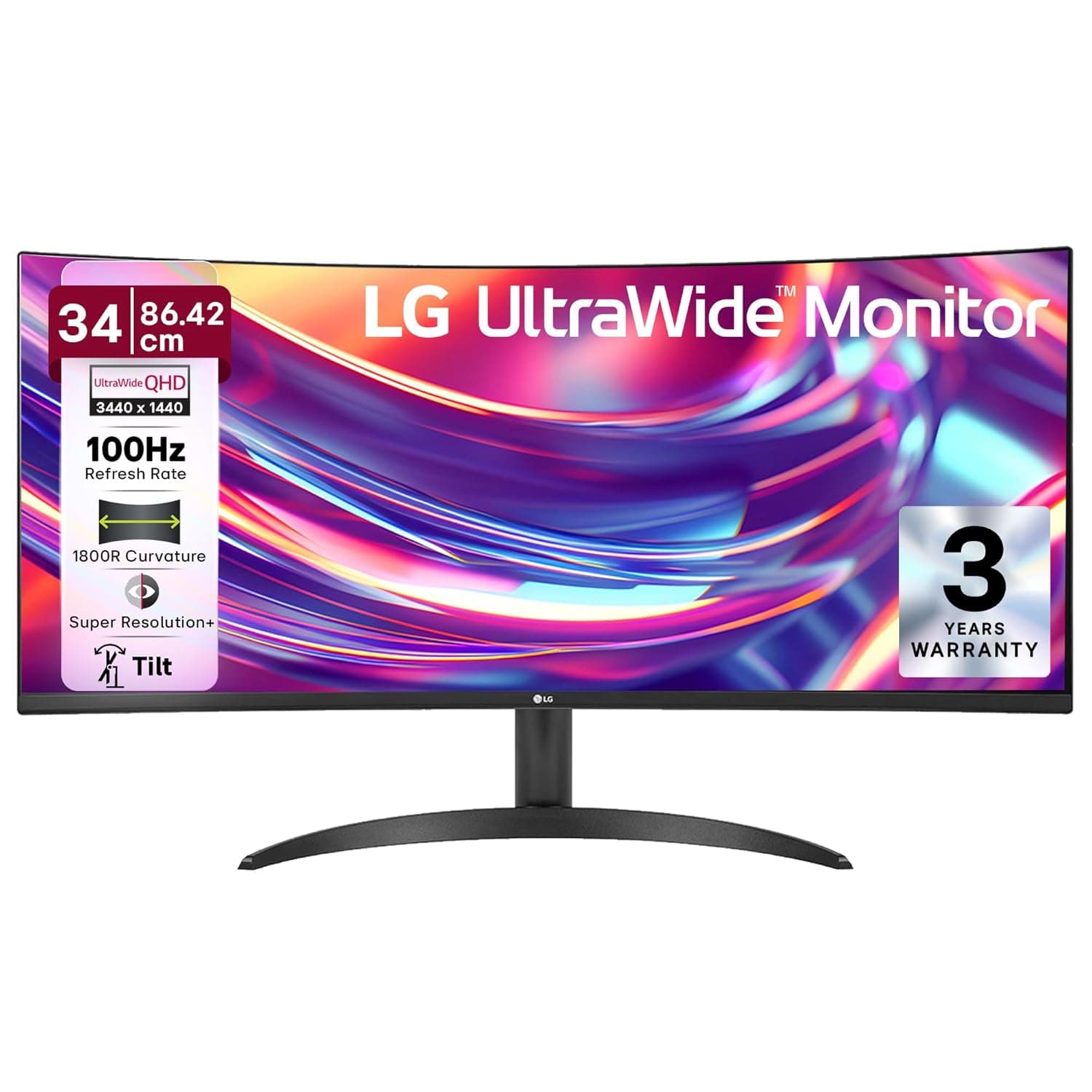
LG 34WR50QK UltraWide Monitor
Ultrawide productivity workhorse for engineers and designers—real estate beats specs.
₹54,990–₹67,990
via Amazon
Resolution
3440×1440 (21:9 ultrawide)
Panel Type
VA, 1800R curved
Refresh Rate
100Hz
Color Gamut
sRGB 99%
Why we picked it
A 34-inch ultrawide (3440×1440) with VA panel, 99% sRGB, and 100Hz refresh rate designed for professionals who need screen real estate without sacrifice. The 1800R curve and HDR10 support bridge productivity and entertainment workloads, while eye-care features justify extended 8+ hour sessions.
Pros
- 3440×1440 ultrawide resolution with 21:9 aspect ratio eliminates window-switching for coding, design, and financial dashboards—measurably faster workflow than dual 16:9 setups.
- 99% sRGB color gamut (8-bit, 16.7M colors) with HDR10 and multiple picture modes makes this accurate enough for color-critical work without separate calibration investment.
- 1800R curvature with 178° viewing angles (VA panel) reduces eye strain during 8+ hour workdays; Flicker Safe and Reader Mode are genuine fatigue reducers, not marketing.
Cons
- 100Hz refresh rate and 5ms response time are adequate for office work but lag behind competitive gaming monitors—not a priority for non-gamers but notable limitation for that use case.
- VA panel limits horizontal color shift resistance compared to IPS; viewing from extreme side angles shows slight color drift, which matters in multi-person collaborative spaces.
Performance
The 3440×1440 ultrawide resolution delivers 40% more horizontal screen space than a standard 27-inch 16:9, eliminating the need for external monitors or constant window management. The 100Hz refresh rate with 5ms response time handles smooth scrolling and video playback without perceptible lag, though it won't impress competitive gamers. VA panel contrast of 3000:1 ensures text clarity and deep blacks, critical for long documentation and spreadsheet work. HDR10 mode boosts perceived depth in media content, a genuine plus for designers reviewing final footage.
Design & Build
The 1800R curve is gentle enough to feel natural rather than gimmicky—it actually reduces eye travel distance across the 34-inch width. Tilt adjustment and 3-side borderless bezel design show thoughtful ergonomics; the anti-glare coating handles office lighting without bloom or rainbow artifacts. At 86.42cm width, this demands a proper desk (depth under 25cm recommended), so measure before purchase. Build quality is solid matte plastic; no premium materials, but durable enough for 5+ years of daily use.
Value for Professionals
For engineers, designers, and traders, the ultrawide eliminates productivity tax of switching desks or dual-monitor setups—conservative estimate is 15–20% efficiency gain for tile-heavy workflows. The sRGB 99% color accuracy and HDR support justify it as a credible secondary display for color work without professional-grade grading monitor cost. At its price tier (₹55k–68k), this beats fragmented alternatives: cheaper ultrawides lose sRGB accuracy; true color monitors cost 3x and lack ultrawide formats. The eye-care suite (Flicker Safe, Reader Mode) is particularly valuable for remote workers—not a luxury, but measurable fatigue reduction.
Who is it for?
Software Engineers
IDE + terminal + reference docs displayed simultaneously without alt-tabbing, with enough horizontal pixels to eliminate side-scrolling in code.
UI/UX Designers
Fits full mockups and design systems side-by-side; 99% sRGB + HDR ensures color consistency between monitor and design handoff.
Financial Analysts & Traders
Multiple spreadsheet columns and real-time data feeds visible without resizing; reduced monitor sprawl cuts desk clutter and setup cost.
Frequently asked questions
Is this monitor curved, and does the curve help or hurt?+
Yes, 1800R curve. It's gentle and genuinely reduces eye strain by keeping viewing distance consistent across the 34-inch width. For productivity work, it's a real benefit; the curve doesn't distort text or spreadsheets noticeably.
Can I use this for color-critical work like photo editing or design?+
Yes. The 99% sRGB gamut, 8-bit depth, and HDR10 support make it suitable for design and video preview work. However, it's not a replacement for a hardware-calibrated grading monitor; it's best used as a primary work display paired with occasional verification on a reference monitor.
Will a 100Hz refresh rate feel jerky after using a 144Hz gaming monitor?+
No. 100Hz is imperceptibly smooth for productivity—document scrolling, web browsing, and office apps won't show motion blur. Gaming will feel slightly softer, but this monitor is built for work, not competitive gaming.
LG 34WR50QK UltraWide Monitor
₹54,990–₹67,990