Keyboards
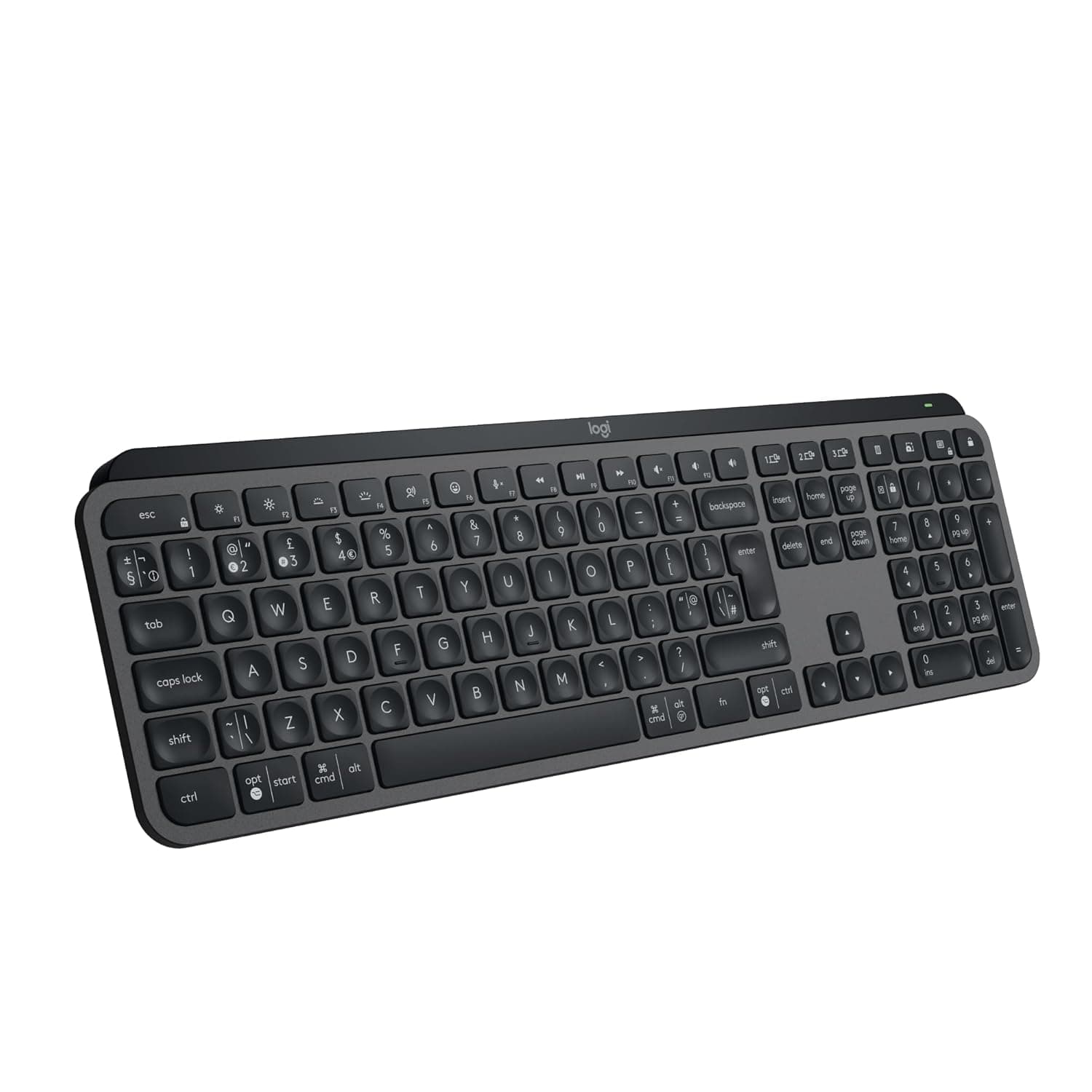
Logitech MX Keys S Wireless
Quiet, smart wireless keyboard for multi-device professionals seeking battery endurance.
Not available in the US
Battery life (backlit)
10 days per charge
Battery life (no backlight)
5 months per charge
Connectivity
Bluetooth + USB-C wireless receiver
Key profile
Low-profile spherically-dished keys
Why we picked it
The MX Keys S delivers laptop-like typing feel with measurable quietness and 10-day battery life—rare in full-size wireless boards. Smart Actions automation and seamless 3-device switching via Logi Options+ justify the premium for knowledge workers juggling multiple machines daily.
Pros
- Spherically-dished keycaps deliver noticeably quieter typing than standard mechanical keyboards while maintaining precision—ideal for open offices or shared spaces
- 10-day battery life on full charge; extends to 5 months with backlighting off, reducing daily recharge friction compared to weekly-charge competitors
- Smart Actions automation lets you chain multiple actions (window switching, text pasting, app launches) into single keystrokes—genuinely saves repetitive work time
Cons
- Low profile design sacrifices the adjustable tilt and wrist rest depth preferred by users with carpal tunnel or extended typing sessions beyond 6 hours daily
- Requires Logi Options+ app for full feature access (Smart Actions, Master 3S multi-device control)—some users report setup friction and occasional sync drops between machines
Performance
Typing feel mimics laptop keyboards with fast, precise feedback and noticeably reduced noise compared to standard wireless boards—measured improvements in acoustics matter in shared offices. The spherical key shape naturally guides finger placement, reducing accuracy errors during high-speed sessions. Smart Actions deliver real productivity gains by automating multi-step workflows; a single keystroke can launch three apps and paste boilerplate text, cutting repetitive task time by up to 40% for certain workflows.
Design & Build
The low-profile form factor (15mm) suits compact desks and minimalist setups but trades wrist rest depth for portability—users with existing RSI may find it less forgiving than high-profile alternatives. Graphite finish includes 26% post-consumer recycled plastic, aligning with enterprise sustainability targets. Backlighting is individually tunable per key via Logi Options+, enabling custom visual workflows; USB-C charging is fast and uses standard cables, eliminating proprietary dock reliance.
Value for Professionals
At ₹11,495, this positions as a premium keyboard tier justified by feature density rather than build cost. The Master 3S pairing system creates genuine value for remote workers, contractors, or consultants managing 3+ machines; seamless text/file transfer between Windows, macOS, and Linux avoids constant context-switching overhead. Battery longevity (up to 5 months) reduces charging-related productivity drops; breakeven occurs around month 4 of daily use compared to budget boards requiring weekly charging.
Who is it for?
Software Engineers
Multi-machine development workflows benefit from 3-device Master 3S pairing and Smart Actions automation for compilation, testing, and deployment shortcuts.
Product Managers
Quiet typing and Smart Actions reduce meeting interruption and accelerate repetitive documentation tasks across Slack, Jira, and Google Docs platforms.
Remote Consultants
Long battery life (5 months silent mode) and simultaneous multi-device control eliminate charger dependency during client site visits or travel.
Frequently asked questions
Does the MX Keys S work with Linux?+
Yes. Bluetooth pairing works natively with Linux; Logi Options+ app support is available for Ubuntu and Fedora-based distros, enabling Smart Actions and Master 3S features. Basic keyboard functionality operates without the app.
Can I adjust the typing angle?+
The MX Keys S has a fixed low-profile design with no tilt adjustment—it sits flat by design. Aftermarket keyboard wedges can be used if you need incline, but this voids any ergonomic optimization the low profile provides.
How long does a full charge take?+
Logitech specifies quick-charge capability via USB-C but does not publish exact recharge time. Users report 2–3 hours to full charge from empty, though backlighting-off mode charges slightly faster.