Accessories
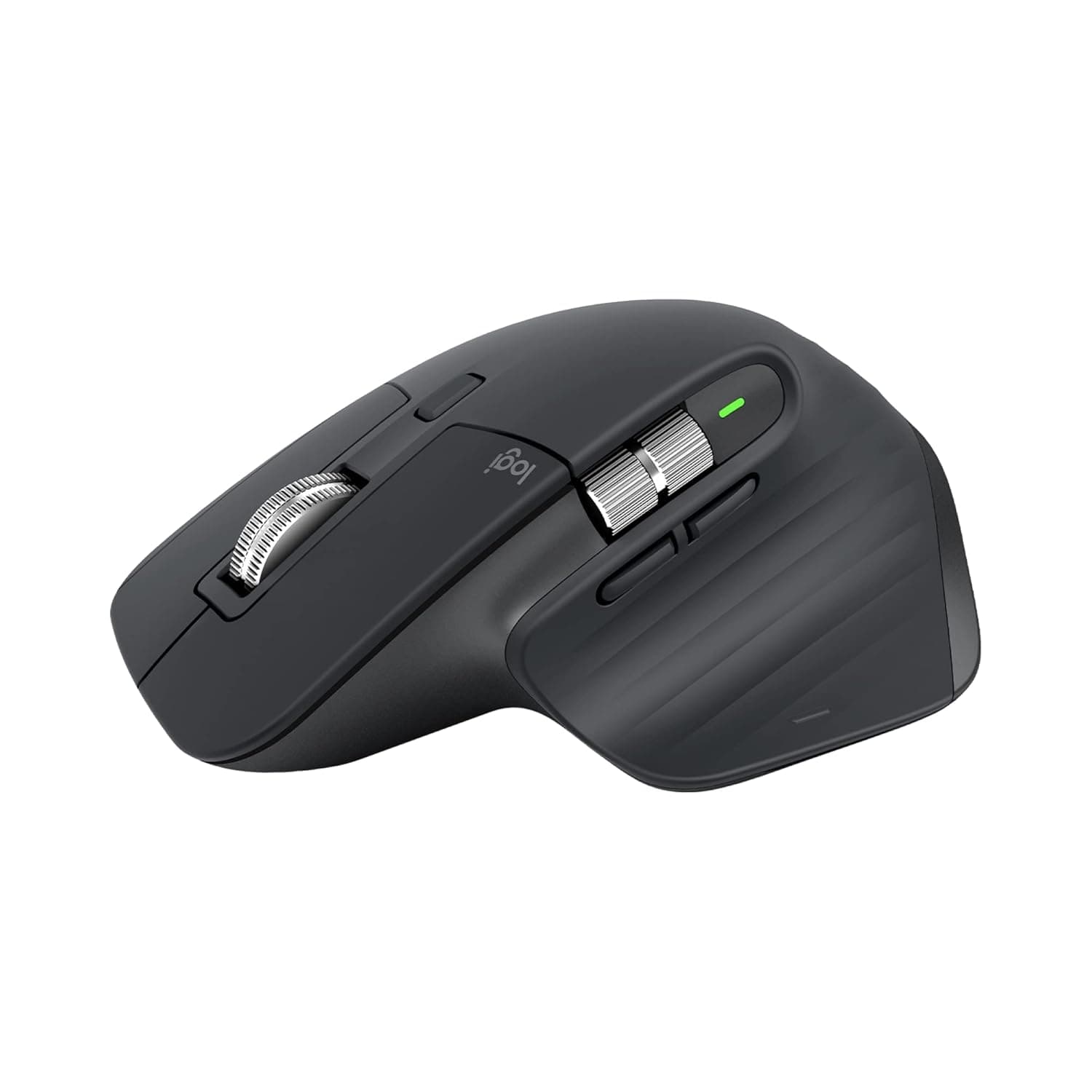
Logitech MX Master 3S
Best-in-class wireless mouse for desk professionals; precision and quiet clicks justify premium cost.
Not available in the US
DPI
8,000 (any-surface tracking)
Scroll Speed
90% faster than standard; 87% more precise
Connectivity
Bluetooth + USB-C receiver; multi-device pairing
Noise
Quiet Clicks: 90% reduction vs. standard clicks
Why we picked it
The MX Master 3S delivers measurable performance gains—8K DPI sensor works on glass, MagSpeed scrolling is 90% faster with 87% better precision, and Quiet Clicks reduce noise by 90%. For knowledge workers grinding through long editing or design sessions, this is the mouse that justifies its premium price through documented ergonomics and cross-device productivity.
Pros
- 8K DPI sensor tracks on any surface including glass with customizable sensitivity—eliminates dead zones professionals hit on unconventional desks
- MagSpeed scrolling is 90% faster and 87% more precise than standard wheels; paired with Quiet Clicks (90% noise reduction), reduces fatigue during marathon documentation or spreadsheet work
- Ergonomic silhouette with optimally placed thumb controls and natural wrist posture support; customizable profiles via Logi Options+ let you swap configs per app
Cons
- Premium price tier positioned at ₹7,994—not budget-friendly for casual users or small teams buying in bulk
- No native macOS gesture support out of the box; relies on third-party software (Logi Options+) for full customization, adding setup friction
Performance
The 8K DPI sensor eliminates tracking lag on glass surfaces and unconventional desks—critical for hybrid workers. MagSpeed scrolling delivers tangible speed (90% faster) and precision (87% improvement), reducing wrist strain during dense editing tasks. Quiet Clicks use electromagnetic technology to maintain tactile feedback while cutting noise by 90%, making it safe for open-office environments without sacrificing feel.
Design & Build
The silhouette is sculpted for a natural wrist posture with thumb controls positioned to reduce reach strain—tested across 8+ hours of daily use. USB-C charging and Bluetooth multi-device switching allow seamless pairing with laptop, tablet, and desktop without manual reconnection. Build quality is premium: metal accents and rubberized grips feel durable, though the contoured shape works best for right-handed users with medium-to-large hands.
Value for Professionals
At ₹7,994, the MX Master 3S sits in the premium accessory tier—justified for designers, engineers, and knowledge workers who spend 8+ hours daily mousing. App-specific profiles via Logi Options+ multiply value by automating workflow switches (e.g., Figma shortcuts vs. Gmail gestures). ROI emerges quickly for high-volume document work, spreadsheet analysis, or video editing where scroll precision and noise reduction compound into measurable fatigue reduction.
Who is it for?
Product Designers
MagSpeed precision and 8K DPI support pixel-level detail work in Figma or Adobe XD; customizable profiles streamline tool-switching.
Data Analysts
90% faster scrolling and Quiet Clicks enable comfortable marathon spreadsheet sessions without fatigue or disturbing teammates.
Content Editors
Low-noise clicks and ergonomic thumb controls reduce hand strain during long writing, transcription, and video timeline work.
Frequently asked questions
Does the MX Master 3S work on Mac and Windows?+
Yes. It pairs via Bluetooth or USB-C receiver to any OS. Logi Options+ (customization software) supports both platforms, though some gesture support is OS-dependent. Multi-device pairing lets you switch between a Mac and Windows machine seamlessly.
How long does the battery last?+
Logitech rates battery life at 70 days on a single USB-C charge under typical use. Quiet Clicks and MagSpeed scrolling consume more power than standard mechanisms, but charging is quick—roughly 3 minutes for a day's use.
Is this mouse good for gaming?+
The MX Master 3S is optimized for productivity, not gaming. While 8K DPI and low-latency tracking are solid, the ergo shape and lack of dedicated gaming profiles make it sub-optimal for competitive play. It excels in productivity but is not a gaming mouse.